Scheduled PostgreSQL and MySQL backups to S3 or Cloudflare R2
Set up automated PostgreSQL and MySQL backups to S3 or Cloudflare R2 with a self-hosted tool: cron schedules, retention, checksums, alerts and test restores.
Fleetdock, an open-source and self-hosted control plane, runs scheduled backups of
PostgreSQL, MySQL and MariaDB databases with each engine's own dump tool (pg_dump,
mariadb-dump or mysqldump), gzips the output and streams it to an Amazon S3, Cloudflare
R2 or other S3-compatible bucket that you own. You add the bucket once, give each database a
cron schedule and a number of days to keep backups, and Fleetdock records a SHA-256 checksum
for every backup, deletes expired ones and notifies you when a backup fails.
What a Fleetdock backup is, and what it is not
A backup is a logical dump of one database: plain SQL, gzipped. Fleetdock records where the object is stored, its size and its SHA-256 checksum, and tracks the run as a task in Activity.
That has three consequences worth knowing before you rely on it:
- Recovery point = schedule interval. With a daily backup at 02:00 UTC, a failure at 18:00 loses up to 16 hours of writes. There is no point-in-time recovery between backups. If you need that, run WAL or binlog archiving with a dedicated tool alongside.
- The files are portable. A
.sql.gzfrom the bucket restores withpsqlormysqlwithout Fleetdock. - No replication or failover. Backups protect data; they do not keep a standby server running.
How the backup travels to the bucket
For a database on a server with the Fleetdock agent, the agent runs the dump on that machine and uploads it through a time-limited presigned URL that the control plane creates. The agent never receives your storage keys. For a database connected remotely, such as Amazon RDS, the control plane runs the dump itself.
So the database machine, or the Fleetdock host for remote databases, needs outbound HTTPS to the bucket's endpoint. Nothing needs to connect in.
Step 1: Create the bucket
Create a private bucket and an access key that can only reach it.
Amazon S3
Create a private bucket in the region you want, with default encryption on. Create an access key scoped to that bucket alone: Fleetdock writes backups into it, reads them back for restores and checks, and deletes them when they expire.
Cloudflare R2
Create a bucket, then an R2 API token with object read and write access to it. Note the
access key ID, the secret, and your account's S3 endpoint,
https://<account>.r2.cloudflarestorage.com. R2 does not charge for egress, which matters
when you download or restore large backups often.
Other S3-compatible storage
MinIO and other S3-compatible services work the same way: a bucket, an access key, and the server's URL as the endpoint.
Let Fleetdock's retention delete old backups. If you also add a lifecycle rule on the bucket, make it expire objects later than your longest retention, or backups will vanish while Fleetdock still lists them.
Step 2: Add the bucket to Fleetdock
Open Backups → Backup storage → Add storage and fill in:
| Field | AWS S3 | Cloudflare R2 |
|---|---|---|
| Provider | AWS S3 | Cloudflare R2 |
| Bucket | must already exist | must already exist |
| Region | required, e.g. eu-central-1 | optional, auto |
| Endpoint | leave empty | https://<account>.r2.cloudflarestorage.com |
| Folder (optional) | a path inside the bucket, e.g. fleetdock/prod | same |
| Access key ID and secret | the bucket's key | the R2 token's key |
Then run Test on the new entry to confirm Fleetdock can write to the bucket. The secret is
encrypted at rest with your FLEETDOCK_ENCRYPTION_KEY. Use a separate folder per environment
if several Fleetdock installs share one bucket.
Step 3: Schedule backups for each database
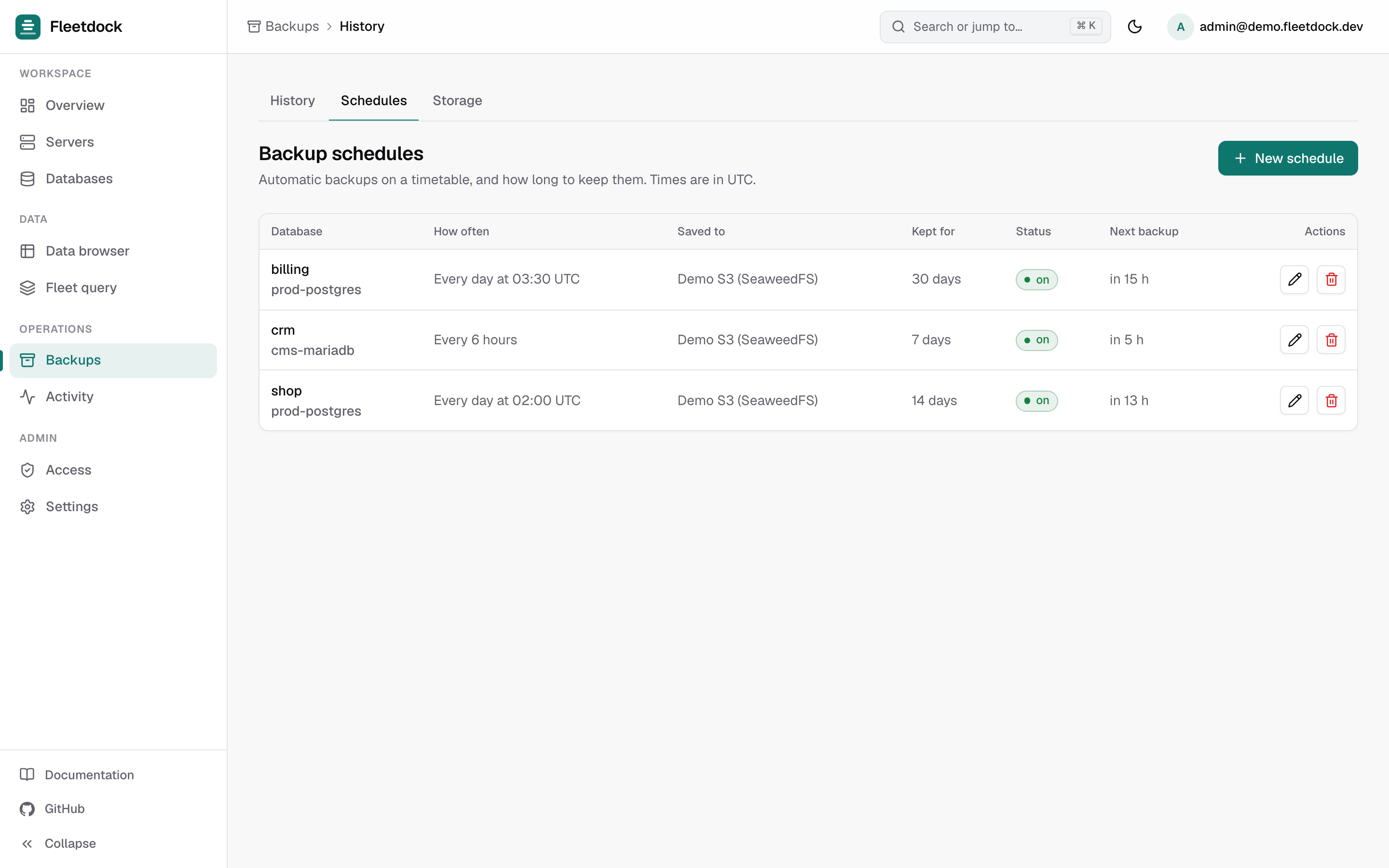
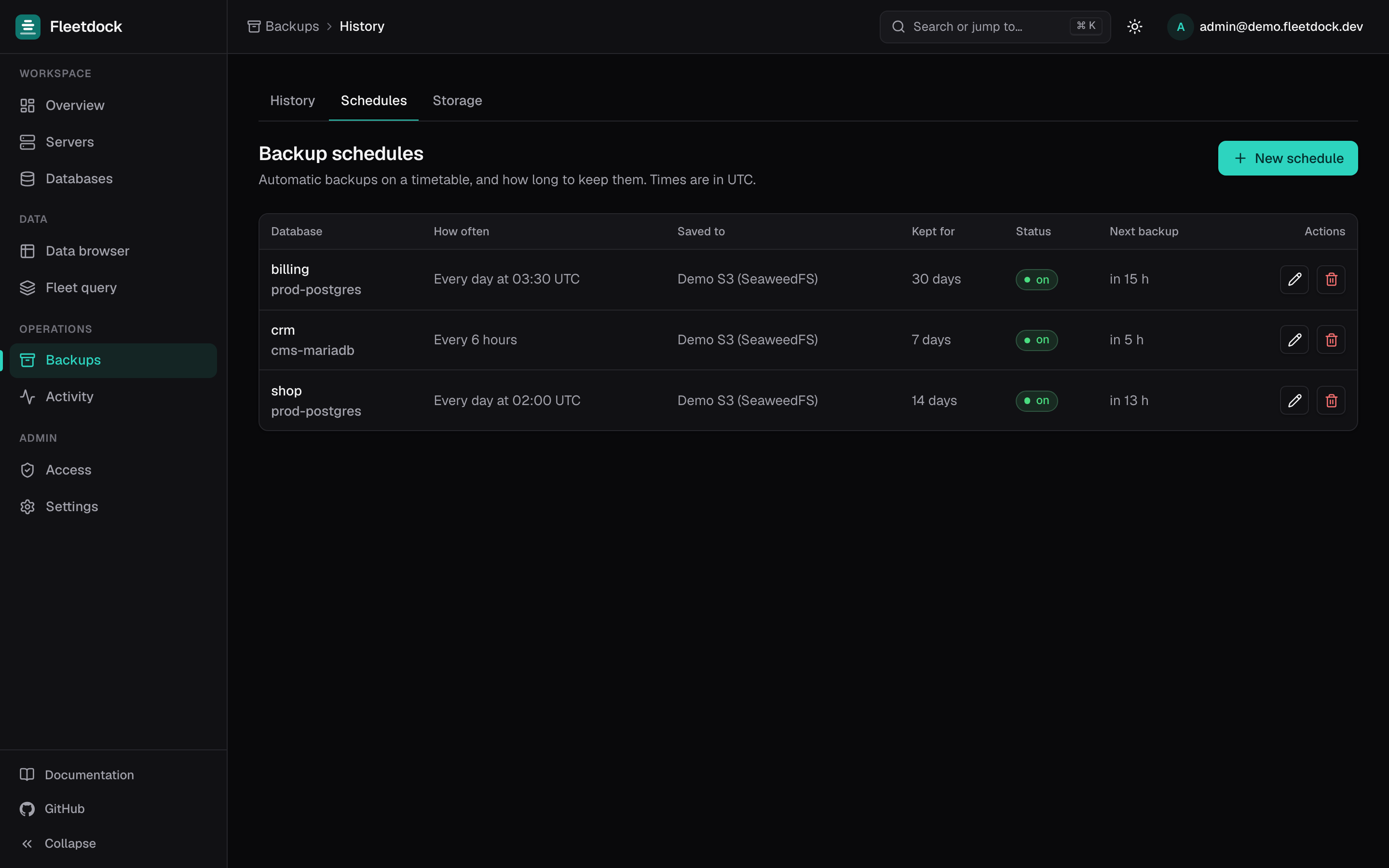
Open Backups → Backup schedules and create a schedule:
- Database: the database to back up. A schedule covers one database.
- Save to: the backup storage from step 2.
- How often: a preset such as Every day at 02:00 UTC or Every hour, or a custom
cron expression. Schedules always run in UTC:
0 2 * * *is 02:00 UTC every day,*/30 * * * *every 30 minutes. - Keep backups for (days): older backups from this schedule are deleted, object and record, so the bucket does not grow without bound.
Some sizing arithmetic: a database whose gzipped dump is 2 GB, backed up daily and kept for 30 days, holds about 60 GB in the bucket. The same database backed up hourly and kept for 2 days holds about 96 GB. Each run reads every row, so schedule large databases outside peak hours.
For dozens or hundreds of databases, create schedules through the API with an API token
(Access → API tokens) and POST /v1/backup-schedules. The request format is in the
API reference.
Step 4: Get told when a backup fails
Under Settings → Notifications, add an email, Slack or webhook channel. A failed backup records its error on the task in Activity and notifies every channel you configured. The Overview page also lists failed backups and scheduled databases with no backup in the last 7 days.
Step 5: Check that backups restore
A checksum proves the file is intact, not that it restores. Fleetdock offers two checks:
- Check that it restores, in a backup's menu, restores it into a temporary database on the same database server, checks the checksum and that tables come back, records the result in the Checked column and drops the temporary database.
- Every real restore verifies the SHA-256 checksum before touching the target and reports how many tables it restored.
Fleetdock does not run test restores on a schedule. Run Check that it restores on a
recent backup regularly, or call POST /v1/backups/{id}/verify from your own cron job with
an API token. Periodically restore into a throwaway database server too, to rehearse the full
recovery path.
Restoring
From a database's Backups tab, open a backup's menu and choose Restore…. Restoring into the same database replaces its contents, with no automatic snapshot of the state before, so take a fresh backup first. Restoring into another database server or name creates a copy and leaves the original alone. See Restore.
To put back a few rows rather than a whole database, use Compare with a backup… in the data browser: it restores the backup into a temporary database on the same server, lists the rows changed, deleted or added since, and restores only the rows you pick. See Data browser.
Fleetdock compared with a cron script
The usual do-it-yourself version is a cron job per server:
#!/usr/bin/env bash
set -euo pipefail
ts=$(date -u +%Y%m%d-%H%M%S)
pg_dump -h db1.internal -U backup shop | gzip > "/var/backups/shop-$ts.sql.gz"
aws s3 cp "/var/backups/shop-$ts.sql.gz" "s3://db-backups/shop/"
rm "/var/backups/shop-$ts.sql.gz"
It works, and for one database on one server it may be all you need. What it lacks, and you would add by hand: a checksum on record, retention that deletes old objects, an alert when it fails, a list of which databases have a recent backup, a restore that checks the file first, and storage keys kept off every database server. Fleetdock provides those for every database it manages, across servers.
One-off backups without a bucket
For a quick copy before a risky change, Back up now → Download to this computer streams a
<database>-<YYYYMMDD-HHMMSS>.sql.gz file to your browser. Nothing is kept in Fleetdock;
restore it with Import SQL. See Backups.
Next steps
- Backups and Restore in the documentation.
- Database-per-tenant: backups for hundreds of customer databases.
- Move a database to another server, which uses the same backup and restore.
Frequently asked questions
What format are the backups in?
Each backup is the output of the engine's own dump tool, pg_dump for PostgreSQL and mariadb-dump or mysqldump for MySQL and MariaDB, compressed with gzip. You can restore it with Fleetdock, or by hand with psql or mysql if Fleetdock is unavailable.
Does Fleetdock encrypt the backup files?
Fleetdock encrypts the bucket's access keys and database passwords at rest, but not the backup contents. Keep the bucket private and turn on encryption at the storage provider.
Can I restore to a specific point in time?
No. Fleetdock backups are logical dumps, so you restore to the moment a backup was taken. Point-in-time recovery from WAL or binlog archives is on the roadmap but not implemented.
How often can backups run?
As often as a cron expression allows, for example every hour or every 30 minutes. Each run dumps the whole database, so the size of the database and the load you accept set the practical limit.