Move a MySQL or PostgreSQL database to another server, verified
How to migrate a MySQL or PostgreSQL database to another server: dump and restore commands, then a tracked copy or move with checksum and table-count checks.
To move a MySQL, MariaDB or PostgreSQL database to another server, dump it on the old server,
restore the dump on the new one, check that tables and row counts match, then point your
application at the new host and remove the old copy. You can do this by hand with mysqldump
or pg_dump, or have Fleetdock run it as a tracked backup → restore → verify job that drops
the source only after the copy is verified. Neither way is zero-downtime: writes made after
the dump are not carried over.
Before you start
- Same engine on the destination, at the same or a newer major version.
- Disk space on the destination for the restored data, which is larger than the gzipped dump because indexes are rebuilt.
- Users and grants. They live at the server level, not in a single-database dump. List them on the old server and create them on the new one.
- A write freeze. Measure how long a copy takes, and stop writes for at least that long during the cutover.
- Everything that connects: application config, cron jobs, reporting tools, other services' connection strings.
The manual way
MySQL and MariaDB
# 1. Dump from the old server
mysqldump -h old-db.internal -u root -p \
  --single-transaction --quick --routines --triggers --events \
  shop | gzip > shop.sql.gz

# 2. Create the database on the new server and load the dump
mysql -h new-db.internal -u root -p -e "CREATE DATABASE shop"
gunzip < shop.sql.gz | mysql -h new-db.internal -u root -p shop
On MariaDB, mariadb-dump and mariadb take the same options. --single-transaction gives
a consistent snapshot of InnoDB tables without locking them; MyISAM tables are not covered by
it. --routines and --events include stored procedures and scheduled events, which
mysqldump leaves out by default.
PostgreSQL
# 1. Dump from the old server
pg_dump -h old-db.internal -U postgres --no-owner --no-privileges shop \
  | gzip > shop.sql.gz

# 2. Create the database on the new server and load the dump
createdb -h new-db.internal -U postgres shop
gunzip < shop.sql.gz | psql -h new-db.internal -U postgres \
  --set ON_ERROR_STOP=1 --single-transaction -d shop
ON_ERROR_STOP with --single-transaction makes a failed restore roll back completely
instead of leaving half a database. With --no-owner, restored objects belong to the user
that runs the restore; reassign them if your application expects its own role to own them.
pg_dumpall --globals-only exports roles if you want to copy them. Use the pg_dump from the
newer of the two PostgreSQL versions.
Verify by hand
Compare exact row counts of your key tables on both servers:
SELECT COUNT(*) FROM orders;
SELECT COUNT(*) FROM customers;
On MySQL and MariaDB with the same version on both sides, CHECKSUM TABLE orders, customers;
also compares contents. Do not rely on table_rows in information_schema: for InnoDB it is
an estimate.
The Fleetdock way
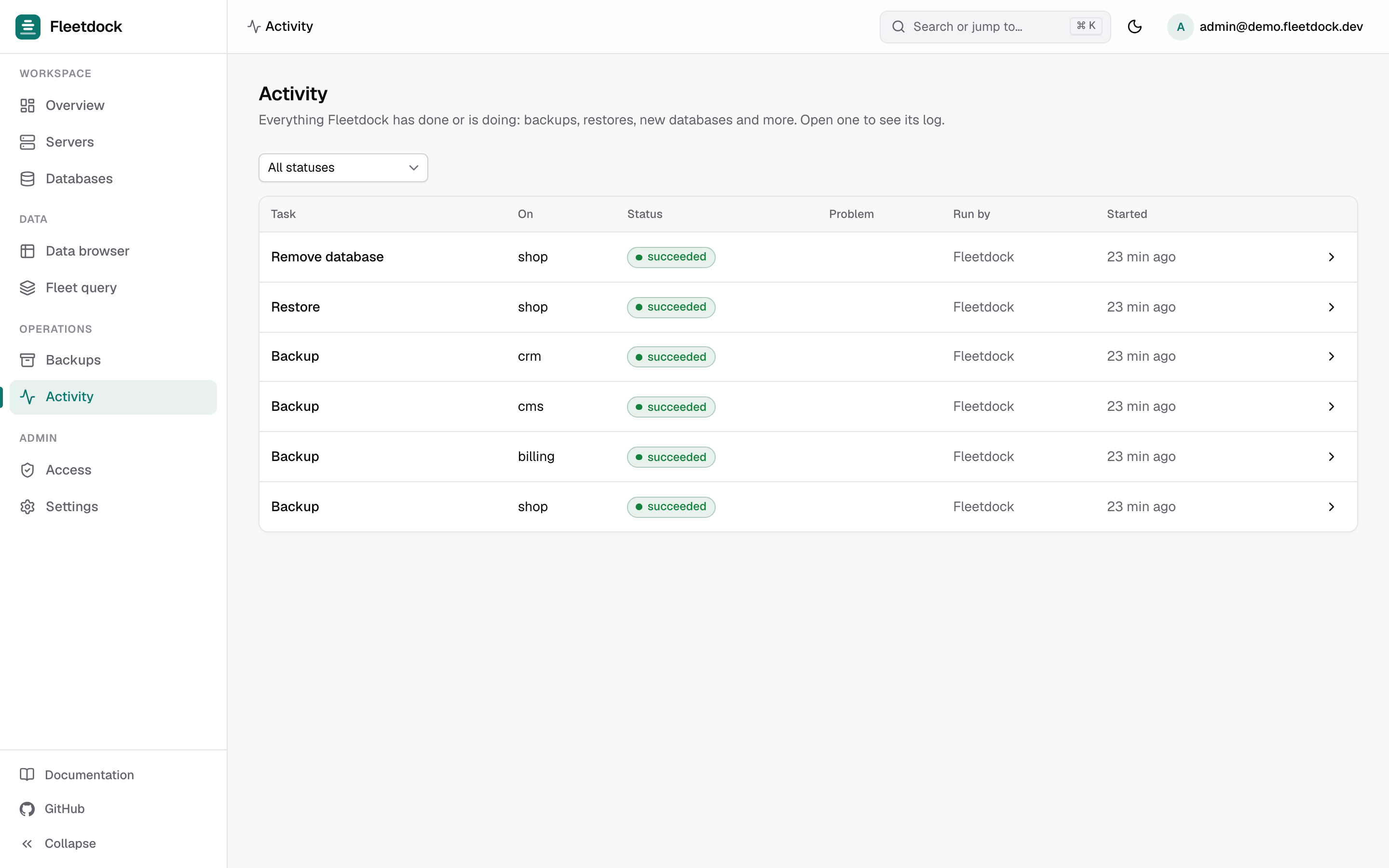
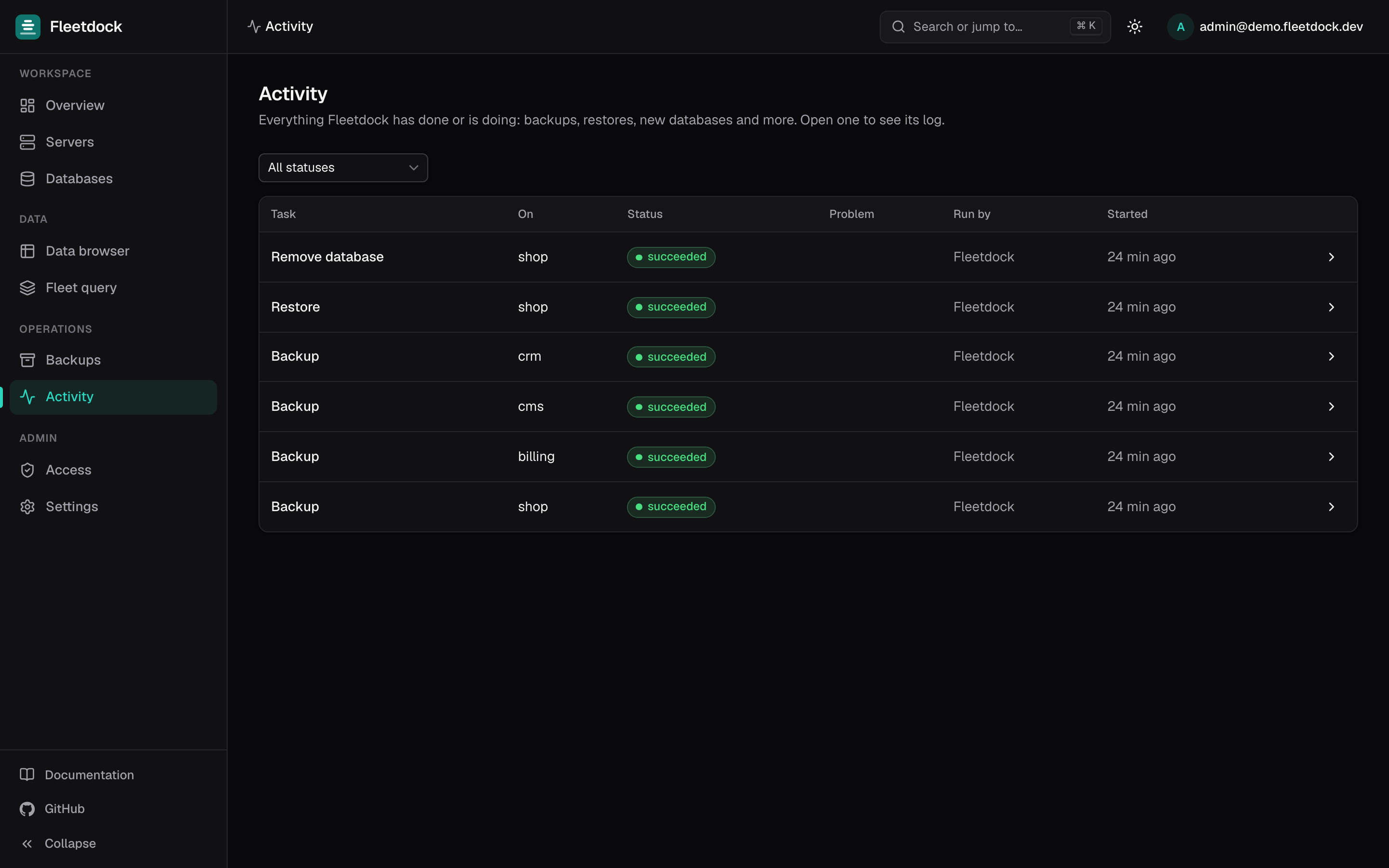
Fleetdock runs the same idea as a background job: back up the source, restore into the destination, verify, and optionally drop the source. Every step is tracked in Activity.
You need both database servers connected to Fleetdock (see Manage many MySQL servers) and backup storage configured, because the copy goes through a backup (see Scheduled backups to S3 or R2).
Prepare the destination
On the new machine, install the agent from Servers → Connect server. Then open Databases → Connect database server and choose Create a new one to launch a MySQL, MariaDB or PostgreSQL container, or Use one on my server for one that is already installed. Check the server's disk chart for headroom: Fleetdock reports capacity but does not block a move on a full disk.
Run a trial copy
On the source database's page, open Copy or move. In the Copy, move or rename dialog,
pick the destination under Copy to database server, enter a Target database name
such as shop_trial, and choose the Backup storage to use. Leave Drop the source
database after a successful, verified move (cutover) unticked, so this is a copy.
Read the verification
Fleetdock checks the backup's SHA-256 checksum before writing anything to the destination, then counts the restored tables and reports the number. The task in Activity shows each phase and any error. The trial also tells you how long the real cutover will take.
Compare structure and row counts
On the source's Schema tab, Compare with… the copy: two identical databases produce no differences. Then open Fleet query, select both databases and run:
SELECT 'orders' AS table_name, COUNT(*) AS row_count FROM orders
UNION ALL
SELECT 'customers', COUNT(*) FROM customers;
The results show each row with its database and server in front, so the two copies sit side by side. The query works on MySQL, MariaDB and PostgreSQL.
Cut over
Remove the trial copy. Stop writes to the source, then run Copy or move again with the final database name and Drop the source database… ticked. The source is dropped only after the restore is verified; if anything fails before that, it stays untouched.
Repoint applications
Fleetdock does not change your application's settings. If the application connects over the private network, update its host and port to the destination's endpoint. If the database has public access through the Fleetdock Gateway, the gateway host and port stay the same and only the backend behind them changes. See Migration.
If you would rather keep the old database until the application has run on the new server for a while, leave Drop the source unticked for the final copy as well, and remove the source yourself later. Make sure nothing writes to it in the meantime.
Manual or Fleetdock?
| Manual dump and restore | Fleetdock copy or move | |
|---|---|---|
| Tools | mysqldump or pg_dump, mysql or psql, a shell on both sides | The dashboard; agents or direct connections |
| Integrity check | Whatever you script | SHA-256 checksum before restore, restored table count after |
| Source removal | By hand | Optional, only after a verified restore |
| Record | Your shell history | A task in Activity and an entry in the audit log |
| Downtime | Writes stop for the copy | Writes stop for the copy |
| Users and grants | Recreate by hand | Recreate on the destination's Access tab |
For one database you move once a year, the manual way is fine. For moving tenants between servers as they grow, the tracked job saves the checks you would otherwise script.
What this does not cover
- Moves without downtime. Set up MySQL replication or PostgreSQL logical replication from the old server to the new one, let it catch up, then switch. Fleetdock does not configure replication or failover.
- Moving a whole server. A Fleetdock move covers one database. Repeat it for each database, or move the server's data directory with your own tooling.
- Changing engines or upgrading versions in place. Fleetdock does neither.
Frequently asked questions
Can I move a database to another server without downtime?
Not with a dump and restore. Writes made after the dump are not carried over, so you stop writes for the length of the copy. A move without downtime needs replication from the old server to the new one, which Fleetdock does not set up.
Do database users and grants move with the database?
No. Users and grants belong to the database server, not to one database, so a single-database dump does not contain them. Create them on the destination before you switch applications over.
Can I move a database from MySQL to PostgreSQL this way?
No. A mysqldump or pg_dump file is written for its own engine, so the destination must run the same engine. Fleetdock moves databases between servers of the same engine.
What happens if the move fails halfway?
With Fleetdock, the source is only dropped after a verified restore, so a failed backup or restore leaves the source untouched. Fix the cause, such as disk space, connectivity or credentials, and run it again.